Playbook · 2026
AI content workflow for a small team (2026): a playbook, not a 12-logo stack
Brief, research, draft, human cut, overlay, then the file. A step-by-step workflow for a 2–8 person desk — and the seats you should not buy until a step is actually leaking.
Gregory Greenstein, Aiacent
- Published
- Updated
- Pricing verified
- 16 min read
- How we rank
ChatGPT
8.3/10Best default writing seat
The default brain. Still the right first writing seat for most people.
ChatGPT is the baseline every other AI writing tool has to beat. For a solo operator with a decent brief, Plus is still the correct first purchase in 2026: drafts, rewrites, outlines, and the ugly first pass on a landing page. Image generation in the same tab is a different review — ChatGPT Images on the 2026 image ranking. Claude vs ChatGPT is the two-way fight if the other tab in the meeting is Anthropic. ChatGPT vs Gemini is the two-way if the other tab is Google. Perplexity vs ChatGPT is the two-way if the other tab is a research engine. On a coding desk it is a helper tab, not an IDE — that ranking is AI coding. On an SEO desk it is a draft helper, not a content-score platform — that ranking is AI SEO.
- Best for
- Anyone who needs a strong general writer, researcher, and editor in one tab.
- Skip if
- Several people have to sound like the same company every week — that is Jasper's job.
Why it ranks
- The best generalist writer most operators will actually open
- Research, drafting, and editing in one thread beats a template farm
- Plus is cheap enough that 'should we buy a copy tool' is a real question
Watch-outs
- No shared brand voice unless you build the habit yourself
- Easy to publish confident filler if nobody owns the facts
- Not a campaign system, a sequencer, or a style-guide desk
Product look · figure pending
ChatGPT
Best for. Anyone who needs a strong general writer, researcher, and editor in one tab.
Skip if. Several people have to sound like the same company every week — that is Jasper's job.
No vendor screenshot until a rights-cleared file exists at public/figures/chatgpt.png. We do not hotlink app UIs.
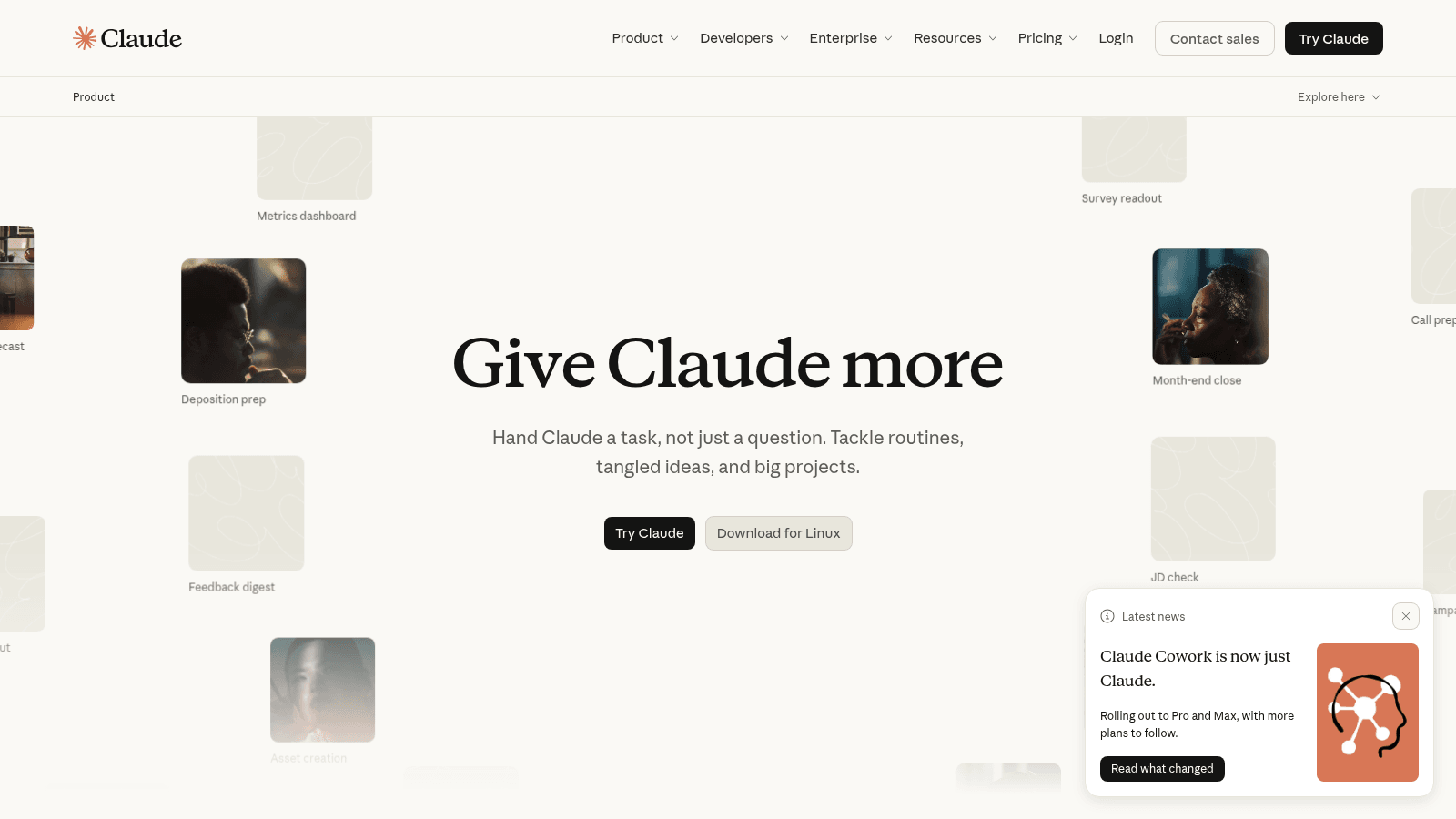
Claude
8.2/10Best careful ChatGPT alternative
The careful generalist — long drafts, messy docs, and fewer confident inventions.
Claude is the ChatGPT alternative we would actually switch to for writing, not the one we would buy to save money. Same $20 band. Different temperament: longer context, fewer swaggering citations, better at 'read this pile and do not hallucinate the brief.' Claude vs ChatGPT is the head-to-head by writing, coding, research, and long docs. Perplexity vs ChatGPT is the research-tab fight — Claude is the pile you already have, Perplexity is the public web.
- Best for
- Operators who write from long sources and want a model that will push back.
- Skip if
- You needed the cheapest Plus-shaped seat with plugins, or a shared brand desk.
Why it ranks
- Still the generalist we trust most on long, messy source material
- Pushes back instead of cheerfully inventing a citation
- Artifacts and projects are close enough to a writing room for one person
Watch-outs
- No shared brand-voice system — that is still Jasper
- Plugin and browsing culture is thinner than ChatGPT's
- Easy to treat a careful draft as a finished one
Jasper
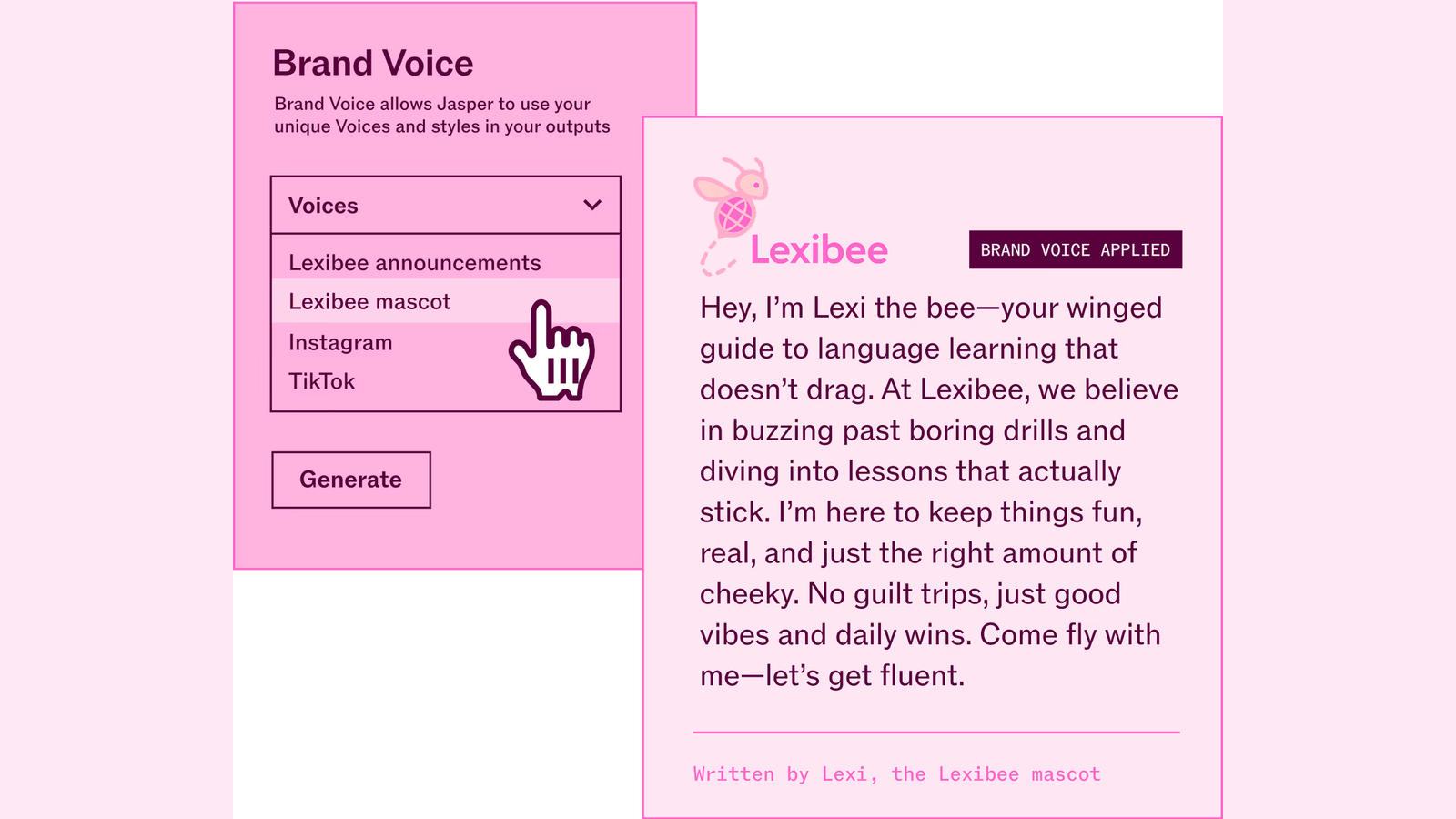
8.4/10Best for brand voice
Brand-safe marketing copy at campaign scale.
Jasper is the grown-up cousin of the 2021 copy-AI boom. It still writes ads, emails, and landing pages, but the product that matters now is the brand-voice layer: tone, forbidden phrases, product facts, and campaign briefs that keep a five-person content team from sounding like five different interns.
- Best for
- In-house marketing teams that already have a brand voice and need volume.
- Skip if
- You mainly need research, coding, or one-off drafts — ChatGPT is cheaper.
Why it ranks
- Strong brand-voice controls once you train them
- Campaign workflows beat a naked chatbot for marketing teams
- Templates for ads, landing pages, and email that non-writers can actually use
Watch-outs
- Pricey compared with ChatGPT or Claude for similar raw drafting
- Long-form can still sound samey without a tight brief
- Image and video features are extras, not the reason to buy
Grammarly
8.2/10Best everywhere writing layer
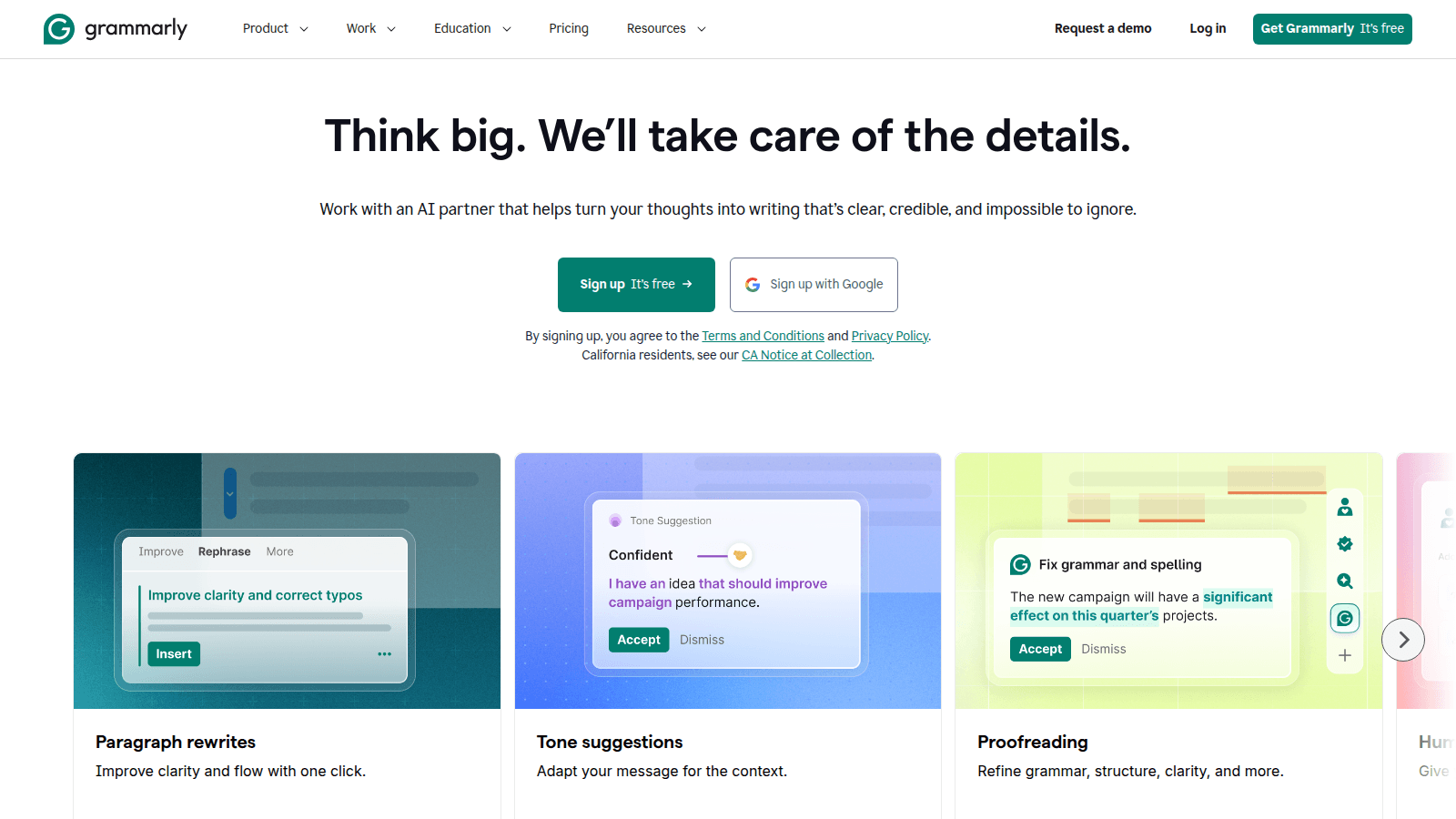
The writing layer that follows you into every text box.
Grammarly won by living in the text box. The AI era just gave it more to do: rewrites, tone, and drafts. We rank it as the writing layer for people who will not open a dedicated copy tool. Grammarly alternatives is the decision page if you are trying not to buy it — or to keep it on purpose.
- Best for
- Anyone who writes in public — support, sales, docs, and execs included.
- Skip if
- You only write in one app that already has a great model.
Why it ranks
- It is already in the browser when you need it
- Tone and clarity suggestions are still better than most built-in checkers
- Enterprise brand tones are underrated
Watch-outs
- Generative features are 'fine,' not a reason to dump Jasper
- Can nag
- Privacy-sensitive orgs need to read the enterprise docs, not the blog
People search 'AI content workflow' after a vendor demoed an operating system, or after a two-person team shipped three tools and still missed Tuesday. The honest 2026 workflow is a sequence, not a stack: name the artifact, write a brief a human would defend, research with sources, draft in one tab, cut it, polish where the words already live, then make the file. If you cannot name the step that is leaking, you are not shopping for a workflow. You are shopping for a slide.
This is a playbook for a small team — two founders, a 4–8 person brand-and-growth desk, a freelancer plus an editor. It is not a persona ranking and it is not a 40-tool OS. The marketing-stack guide is the ladder of when to add a logo. The writing ranking is the scored desk. The blog-writing ranking is the long-form table. The writing-tool checklist is the RFP. Read this one if you needed the order of operations.
The workflow, in one pass
| Step | Job | Default seat | Skip-if |
|---|---|---|---|
| 1. Artifact | Name the thing that has to ship | A sentence in Slack or the calendar | A 12-logo 'content engine' |
| 2. Brief | Audience, offer, proof, destination | A human. ChatGPT only to interrogate a weak brief | A Surfer score before you have a point of view |
| 3. Research | What is true, with links | Perplexity Free or Pro; papers → Elicit | Publishing the answer box |
| 4. Draft | Ugly first pass | ChatGPT; Claude if the pile is long | Jasper as a $59 chatbot |
| 5. Cut | Spine, lede, claims | A human. Always. | 'Generate article' and hit publish |
| 6. Overlay | The sentence already in the CMS | Grammarly Free or Pro | Pro as a second writer |
| 7. File | Tile, resize, still | Canva; Photoroom if it is a SKU | Midjourney for an Instagram crop |
| 8. Recut | Only if the post already exists | Pictory for blog-to-video; Buffer to queue | Video because the blog is empty |
Step by step
1. Name the artifact before you open a tab
A 1,500-word post, a launch email, a LinkedIn thread, a help-center note, a one-pager. Those are different jobs. Mixing them up is how you buy Writesonic because someone said 'content' and then publish a page nobody would send to a customer. The blog-writing ranking is only for the long-form post. The writing ranking is the desk around it. If you cannot name the artifact, stop.
2. Write a brief a skeptical editor would not send back
Audience, job to be done, the offer, the proof you actually have, the URL it has to live on, the one thing it must not say. A human owns this. ChatGPT can interrogate a weak brief ('what is missing,' 'where is the proof'). It cannot invent the offer. Surfer, Clearscope, and Frase belong later — when the calendar is SEO pages and someone will write to a score. The checklist is the RFP version of this step. Skip a brief and every model will scale the emptiness.
3. Research with sources, then stop researching
Public-web claim → Perplexity. Click the links. Papers → Elicit or Consensus, then the research ranking. A messy pile of PDFs or transcripts → Claude. Do not draft in the research tab. Do not buy Pro on every logo in the research ranking because the brief was empty. Is Perplexity Pro worth it is the $20 decision if this step is the weekly leak. Paste the sources you will stand behind into the draft tab. Leave the rest.
4. Draft once, in one seat
ChatGPT for the ugly first pass — outline, dump, 'make this less stiff.' Claude when the post is long, sourced, or has to survive a skeptical editor. Jasper when several people write and it has to sound like one company — that is a voice card and a canvas, not a prompt box. Writesonic only if the calendar is SEO volume and an editor is on payroll. ChatGPT vs Claude for writing is the two-way if those two tabs are the fight. Jasper vs ChatGPT if the fight is the desk. Do not run the same brief through four writers and average them. That is how you get a paragraph nobody owns.
5. A human cuts the spine
Lede, claim, proof, the sentence that is not true, the paragraph that restarted at word 400. This step does not have a logo. Unedited AI at scale is how you teach Google and customers to ignore you. The blog-writing ranking already said so. If nobody will cut, do not buy a second generator. Hire the hour or ship less.
6. Polish in the box the words already live in
Grammarly in Docs, the CMS, Gmail, Zendesk. Free if the job is the typo. Pro if tone and rewrite have to follow the intern around. LanguageTool if the bill or the privacy packet was the fight. Grammarly pricing is the plan math. Grammarly vs ChatGPT is the overlay-vs-brain two-way. Do not paste the finished post back into ChatGPT for a 'final polish' that flattens the point of view you just earned.
7. Make the file last
Canva for the tile, the one-pager, the resize — brand kit on. Photoroom if the input is a phone photo of a SKU. Firefly if the file is already a PSD and legal is in the room. Midjourney if the still is the ad. Canva vs Adobe Firefly is that two-way. Do not start the week in a generator because the brief was missing. A prettier PNG will not invent the offer.
8. Recut only if something already shipped
Pictory when the post exists and you needed a storyboard. Buffer when the caption exists and you needed a queue. Otter when the source was a call you will not write up. Klaviyo when the artifact is a flow, not a post. The marketing-stack guide is when those logos become rungs. Adding them in week one is how a two-person team pays for a studio they do not run.
A 2-person desk versus an 8-person desk
Two people: ChatGPT Plus, Grammarly Free, Canva Free or Pro if you already design there, Perplexity Free until the cited-web habit is weekly. Stop. Mailchimp if you already have a list. Photoroom if you sell a physical SKU. That is a workflow. A slide with twelve logos is a directory.
Six to eight people: keep Plus for the people who write alone. Add Claude when the long post is the artifact. Add Jasper when review cycles are the tax — is Jasper worth it and Jasper pricing before you sign. Add Grammarly Pro when the overlay is the leak. Add Canva Business when several people ship tiles (Teams is closed). Add Copy.ai only if outbound research-to-first-touch is a weekly motion someone will own — Copy.ai pricing is that warning. Add Surfer only if SEO pages have an editor. Zapier for the three zaps you will actually map. The marketing-stack guide is the campaign version of this paragraph.
What is not a step
- A second writer because the first one felt cheap. Name the job. The wrappers skip-list is that page.
- An 'AI content engine' that promises 30 posts a week from a keyword CSV you will not read.
- Meeting bots as a content strategy. Otter is notes. It will not invent the editorial calendar. Otter pricing if the bot is the actual bill.
- A brand-voice card nobody filled in. Empty Jasper is a $59 chatbot.
- Vendor workflow theater that plans, writes, designs, sends, and reports so you do not have to look.
Most 'we need an AI content workflow' tickets are a brief ticket, a ChatGPT ticket, or an editor ticket. The word workflow is doing too much work.— Aiacent playbook, 2026
The week-four audit
After a month, list the artifacts that shipped and the tab each step used. If two seats did the same step, kill one. If a seat never owned a step, kill it. If the brief is still a Slack shrug, do not buy anything. Run the writing-tool checklist on the next seat before you add it. That is the whole operating system.
Verdict
Name the artifact. Write the brief. Research with sources. Draft in one tab — ChatGPT, Claude, or Jasper, not all three. A human cuts. Grammarly polishes in the box. Canva (or Photoroom, or Firefly) makes the file last. Recut only what already exists. Then read the marketing-stack guide if the next question is which logo to add, the writing ranking if the leak is the desk, the blog-writing ranking if the artifact is a post, and the checklist if you have to run an RFP anyway.