Head to head · 2026
Cursor vs GitHub Copilot (2026): the agent workspace vs Tab in the IDE you will not leave
Cursor wins when you will live in an AI-native editor and review the diffs. Copilot wins completions in VS Code or JetBrains. They are not interchangeable, and the cheaper $10 seat is usually the wrong reason to choose.
Gregory Greenstein, Aiacent
- Published
- Updated
- Pricing verified
- 16 min read
- How we rank
At a glance
| Cursor | GitHub Copilot | |
|---|---|---|
| Score | 8.6/10 | 8.2/10 |
| Best for | Engineers who will live in an AI-native editor and actually review the diffs. | Teams that will not leave VS Code, JetBrains, or GitHub and needed the assistant that sits there. |
| Skip if | You needed tab-complete in the IDE you already have, or a chat tab you will not install. | You wanted an AI-native editor, a terminal agent, or Microsoft 365 Copilot in Word. |
| The job | Best AI-native coding workspace | Best in-editor coding default |
| From | Hobby is limited; Pro is $20/month; Teams from about $40/user | Pro is $10/month; Business is $19/seat; usage credits apply in 2026 |
Cursor
8.6/10Best AI-native coding workspace
The AI-native workspace — agents in the editor, the terminal, and the cloud.
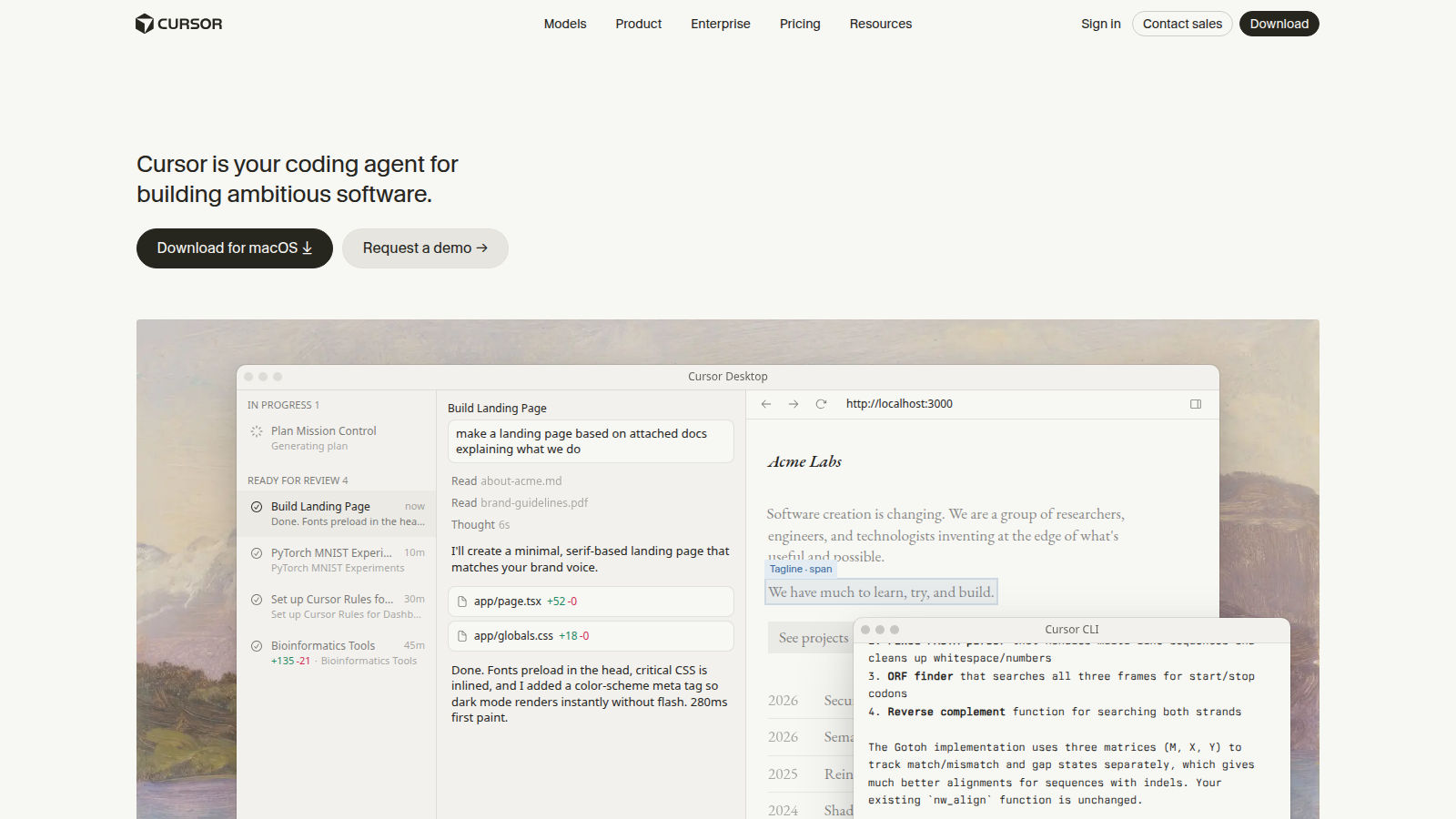
Cursor is the coding tool we would start a greenfield team on in 2026. Forked from VS Code, it stopped pretending the AI is a plugin: Tab, Agent, Cloud Agents, and a repo the model can actually see. The teams that like it treat Cursor like a junior pair who lives in the branch. The teams that hate it installed it on Friday and wanted Copilot's autocomplete on Monday without changing a muscle.
- Best for
- Engineers who will live in an AI-native editor and actually review the diffs.
- Skip if
- You needed tab-complete in the IDE you already have, or a chat tab you will not install.
Why it ranks
- The editor, the agent, and the codebase in one habit — not a sidebar bolted on
- Cloud agents and multi-model routing are the 2026 product, not a demo
- Pro is the same $20 band as ChatGPT Plus, for a job Plus cannot sit in
Watch-outs
- Switching IDEs is a real cost — keymap nostalgia is how rollouts die
- Usage pools surprise daily-agent users who thought $20 was unlimited Claude
- Will not replace tests, code review, or a human who reads the PR
GitHub Copilot
8.2/10Best in-editor coding default
The in-editor default — completions, chat, and agents where the repo already lives.
GitHub Copilot is still the coding assistant most teams already half-own. Completions and next-edit in VS Code, JetBrains, and neovim. Chat and agents in the editor and on github.com. If the leak is 'type less in the file I am already in,' start here. If the leak is 'an agent should own a branch,' you are on the Cursor page.
- Best for
- Teams that will not leave VS Code, JetBrains, or GitHub and needed the assistant that sits there.
- Skip if
- You wanted an AI-native editor, a terminal agent, or Microsoft 365 Copilot in Word.
Why it ranks
- Lives in the editor and the GitHub PR you already open
- Cheapest serious coding seat if completions are the leak
- Business and Enterprise are the path legal will actually sign
Watch-outs
- As an agent workspace, Cursor still feels like the product was built around the model
- 2026 usage credits mean chat and agents are not a flat 'unlimited' story
- Easy to confuse with Microsoft 365 Copilot — different product, different meeting
Product look · figure pending
GitHub Copilot
Best for. Teams that will not leave VS Code, JetBrains, or GitHub and needed the assistant that sits there.
Skip if. You wanted an AI-native editor, a terminal agent, or Microsoft 365 Copilot in Word.
No vendor screenshot until a rights-cleared file exists at public/figures/github-copilot.png. We do not hotlink app UIs.
Both products will write code next to you. That is where the overlap ends, and it is why 'Cursor vs Copilot' is a bad 2026 question if you have not named the surface. An agent that lives in a branch you will review, and ghost text in the IDE you will not leave, are different seats. Mixing them up is how you pay Cursor Pro for Tab you already had — or buy Copilot Pro as a cheaper agent workspace and still paste from a browser.
This page is the two-way, winner by job. Is Cursor worth it is the $20 subscription decision. Is GitHub Copilot worth it is the $10 decision. GitHub Copilot pricing is the credit-meter page. The coding ranking is the scored table — Cursor 8.6 for the AI-native workspace, Copilot 8.2 for the in-editor default. ChatGPT vs Claude for coding is the tab fight if nobody is installing an editor. Read this one if both logos are already in the deck.
The public bills, in one place
Cursor Hobby is $0 — limited Agent and Tab. Pro is $20 a month — the honest individual seat. Pro+ is $60. Ultra is $200. Teams Standard is $40 a user. Teams Premium is $120. Enterprise is a quote. Those rows were checked against cursor.com/pricing and Cursor's models-and-pricing docs on 19 September 2026 — the same ladder as is Cursor worth it. Included usage is two pools in Cursor's 2026 docs: Cursor Models and Other Models (third-party at API price). On-demand usage bills in arrears. $20 is not unlimited Claude.
GitHub Copilot Free is $0 with 2,000 completions a month and a limited chat/agent allowance. Pro is $10 — unlimited completions and next-edit on paid, 1,500 AI credits a month for chat and agents ($15 total credits on the plans page; 1 credit = $0.01). Pro+ is $39 with 7,000 credits ($70). Max is $100 with 20,000 ($200). Business is $19 a granted seat with 1,900 pooled credits. Enterprise is $39 a seat on GitHub Enterprise Cloud with 3,900. Those rows were checked against github.com/features/copilot/plans and GitHub's Copilot plans docs on 19 September 2026 — the same ladder as GitHub Copilot pricing. Completions stay unlimited on paid. Agents are the meter.
| If this is the coding job | Buy | Skip |
|---|---|---|
| Multi-file Agent work you will review in an editor built around the model | Cursor (Pro if weekly; Pro+ if you can show the wall; Teams if SSO is named) | Copilot as a cheaper agent workspace |
| Tab and next-edit in VS Code, JetBrains, or neovim you will not leave | GitHub Copilot (Pro if individual; Business if policy is the job) | Cursor as a $20 autocomplete |
| A careful agent on a messy repo, keep your current IDE | Neither as the only seat — Claude Code. ChatGPT vs Claude for coding if the fight is the tab. | Either logo as a terminal temperament |
| A stack trace you paste into a browser | Neither — ChatGPT Plus | Either paid row as a snippet tab |
| Word, Outlook, or Teams | Neither — Microsoft 365 Copilot. Productivity ranking. | Either coding seat as a Word license |
| Security already standardized on Copilot Business and nobody will switch editors | Copilot Business — stay | Cursor as protest. Is Cursor worth it only if someone will actually live there. |
| You needed one taste and will not open an agent twice a week | Neither paid row — Cursor Hobby or Copilot Free | Either subscription as a hobby you will not open |
Buy Cursor if the expensive part is the environment
Cursor earns the seat when the model has to sit in the branch: Tab, Agent, Cloud Agents, a repo it can actually see. That is why it scores 8.6 as the AI-native coding workspace. Worth the sticker means a $20 Pro seat is cheaper than another afternoon of pasting from ChatGPT into VS Code and losing the tree — or stretching Copilot Pro's 1,500 credits into an agent habit it was not priced for.
Hobby is the taste — limited Agent and Tab, no card. Pro is the honest individual seat if you will live in the editor and review the diffs. Pro+ is $60 after you can show the Pro wall; Cursor's own page recommends it once Agent is the weekday habit. Teams Standard at $40 is admin, SSO, and a shared marketplace — not cheaper Pro. Skip Cursor if the leak is ghost text in JetBrains. Skip it if security already bought Copilot Business and nobody will switch. Is Cursor worth it is the subscription version of this paragraph.
- Best for: engineers whose ChatGPT habit is already 'rewrite this file,' and who will install an editor
- Skip if: you needed Tab in the IDE you will not leave, a terminal agent, or a snippet tab
- Honest watch-out: a confident diff is not a green pipeline. The teams who hate Cursor treated Agent like a merge button
Buy GitHub Copilot if the expensive part is the buffer you already have open
Copilot earns the seat when the file you are already in is the job. Completions and next-edit stay unlimited on paid. Chat and agents draw credits. That is why it scores 8.2 as the in-editor default. Worth the sticker means a $10 Pro seat (or $19 Business) is cheaper than another week of 'we'll just use ChatGPT' in a tab that cannot see the tree — and cheaper than a $20 IDE switch you will undo on Monday.
Free is 2,000 completions and a thin agent story — a real taste, not a work plan. Pro is the honest individual Tab-and-chat seat. Business is the org path legal will sign. Enterprise is GitHub Enterprise Cloud extras, not a darker Business you pick because $19 felt cheap. Skip Copilot if the leak is an agent-owned branch. Skip it if someone meant Word. Is GitHub Copilot worth it is the subscription version of this paragraph. GitHub Copilot pricing is the meter.
- Best for: engineering orgs standardized on VS Code or JetBrains that needed Tab plus a GitHub-native PR loop
- Skip if: you wanted the whole editor to be the agent, a terminal pile, or Microsoft 365
- Honest watch-out: $10 is the Tab seat, not unlimited agents. Daily Agent users who 'saved money' versus Cursor are how Pro+ and surprise invoices exist
Head-to-head, by job
Ghost text while you type
Copilot. Completions are still the reason most seats exist, and they stay unlimited on paid. Cursor Tab is real and will still feel like the wrong shape of tool if the painful part is 'I will not leave JetBrains.' If nobody glances at ghost text, you are not a Copilot buyer either — you are shopping for a snippet, and that is ChatGPT.
A multi-file change you will review
Cursor. The product was built around Agent in the repo. Copilot agents are real in 2026 and will still feel like a sidebar if the painful part is 'the model should sit in the branch.' If nobody will read the diff, you are not a Cursor buyer either — you are shopping for a merge button, and neither vendor should sell you that.
Price, honestly
Copilot Pro at $10 can look cheaper than Cursor Pro at $20. It is not a savings story if you needed the agent workspace — credits and overage will eat the delta. Cursor Hobby at $0 can look cheaper than Copilot Pro. It is not a savings story if Tab in JetBrains is the weekday habit. Count files you will actually finish — not the homepage numeral. GitHub Copilot pricing is the Copilot meter. Is Cursor worth it is the Cursor climb.
Org policy, indemnity, and a second editor
Copilot Business if several people Tab in the org IDE and legal has to sign. Cursor Teams if several people share rules, SSO, and a marketplace — $40 is not personal Pro with a nicer invoice. Do not buy either company row because a deck said 'AI engineering platform.' A platform with a Word license is Microsoft 365. The coding ranking is the scored table.
What neither tool should be
- Your terminal temperament. That is Claude Code.
- Your snippet tab. That is ChatGPT — ChatGPT vs Claude for coding.
- Your Word, Outlook, or Teams seat. That is Microsoft 365 Copilot.
- A merge button. A fluent patch is still a patch.
- A SWE-bench trophy. We did not run 400-repo bake-offs or invent a review count.
Cursor is what we open when the question is 'can the model sit in this branch.' Copilot is what we leave on when the question is 'type less in the file I am already in.' Mixing them up is how you buy an editor and still miss Tab — or buy Tab and still paste from a browser.— Aiacent comparison, 2026
Verdict
An agent workspace you will live in and review: Cursor — Hobby to taste, Pro if weekly, Pro+ after you can show the wall, Teams when SSO is named. Tab in the IDE you will not leave: GitHub Copilot — Free to taste, Pro if individual, Business when policy is the job. Terminal pile: Claude Code. Snippet tab: ChatGPT. Word: Microsoft 365. Then read is Cursor worth it if only one $20 logo is in the cart, is GitHub Copilot worth it if only the $10 seat is the invoice, GitHub Copilot pricing if the fight is the credit meter, and the coding ranking if you want the scores in one table.